Unlocking Peak Performance: Your Guide to the Best 'Ecran Gaming' in 2026
Looking for a new screen for your games in 2026? It can be a bit much trying to figure out what's actually good and what's just hype. We've all been there, staring at specs and wondering if that super-high refresh rate really makes a difference or if that fancy curved display is worth the extra cash. This guide is here to break it all down, so you can find the perfect ecran gaming without all the confusion. We'll cover the big names, the different types of screens, and what features actually matter for a better gaming experience.
Key Takeaways
- A gaming monitor is built for gaming with features like high refresh rates and fast response times, but it works fine for other tasks too.
- When picking an ecran gaming, look at refresh rate (144Hz or more is good), response time (under 1ms is best), and resolution (1080p, 1440p, or 4K) based on your computer.
- Screen size is a personal choice, but 24 to 32 inches is usually a sweet spot for most gamers, with 27-inch 1440p monitors being very popular.
- Curved monitors offer more immersion by wrapping around your view, while flat monitors are simpler and fit anywhere.
- Adaptive sync tech like G-Sync and FreeSync syncs your monitor with your graphics card to prevent screen tearing and make games run smoother.
1. Samsung Odyssey Series
When you're talking about top-tier gaming monitors, the Samsung Odyssey series often comes up. These displays are built with gamers in mind, packing in features that really make a difference in fast-paced games. Think super-smooth motion and sharp visuals, which is pretty much what you want when every millisecond counts.
Samsung has been pushing the envelope with their Odyssey line. They've introduced some pretty wild tech, like the Odyssey Neo G9 with its massive 49-inch ultrawide screen and a 240Hz refresh rate. It's like strapping yourself into a cockpit. They also have models that boast incredible curvature, pulling you right into the game world. The focus is on immersion and responsiveness, trying to give you that competitive edge.
Here's a quick look at what makes the Odyssey series stand out:
- High Refresh Rates: Many models offer 144Hz or even higher, meaning more frames per second for smoother gameplay.
- Fast Response Times: Crucial for avoiding ghosting and motion blur, especially in shooters or racing games.
- Curved Displays: The aggressive curves on some models help fill your field of vision, making the experience more engaging.
- Quantum Mini-LED Technology: Found in some higher-end models, this provides better contrast and brightness for HDR content.
Samsung also showed off some interesting new tech at CES 2026, including a 3D 6K monitor with eye-tracking and a 1,000 Hz dual-mode panel. They're not afraid to experiment with what a monitor can do. If you're looking for a display that can handle intense gaming sessions and look good doing it, the Samsung Odyssey monitors are definitely worth a look. They really try to balance cutting-edge features with a solid gaming experience.
While the Odyssey series often comes with a premium price tag, the performance and features packed into these monitors can justify the cost for serious gamers. You're paying for advanced technology that aims to give you the best possible visual feedback during gameplay.
2. LG UltraGear Gaming Monitors
LG's UltraGear line is a pretty solid contender when you're looking for a gaming monitor that just works. They've really focused on making these screens fast and responsive, which, let's be honest, is kind of the whole point for gaming, right? You'll find a lot of their models packing high refresh rates, some even going up to a wild 480Hz. That means your games should feel super smooth, with less of that annoying blur when things get hectic on screen.
They also tend to play nice with both NVIDIA's G-Sync and AMD's FreeSync technologies. This is good because it helps prevent screen tearing, that visual glitch where the image looks like it's split. It's one of those things you don't notice until it's gone, and then you wonder how you ever put up with it.
Here's a quick look at some of the key features you'll often see:
- High Refresh Rates: Up to 480Hz on some models for incredibly fluid motion.
- Fast Response Times: Crucial for reducing ghosting and motion blur.
- Adaptive Sync: G-Sync and FreeSync compatibility to eliminate screen tearing.
- OLED Panels: Available on some higher-end models for amazing contrast and color.
LG has been putting out some really interesting tech in their UltraGear series. They're not just about raw speed, though. Many of them also offer great color accuracy and good brightness, making them decent for other stuff too, like watching movies or even some light photo editing. It's a nice bonus if you don't want a monitor that's only good for gaming.
If you're eyeing an OLED panel, LG has some UltraGear options there too, which means you get those super deep blacks and vibrant colors. It really makes games pop. They also have a range of sizes, from more compact 24-inch displays up to larger 32-inch and even ultrawide options. So, whether you've got a small desk or want to fill your entire field of view, there's likely an UltraGear that fits.
3. Curved Gaming Monitors
Curved gaming monitors are all about pulling you into the game. They wrap around your field of vision, kind of like how your eyes naturally see things. This design helps reduce those weird distortions you can get at the edges of a flat screen, making everything feel more real. If you're into big open-world games or racing sims where being surrounded by the action matters, a curved monitor, especially a larger or ultrawide one, can really make a difference.
It's not just about the curve, though. The curvature is usually measured in a number followed by 'R', like 1800R or 1500R. A smaller number means a tighter curve. For most people, a 1800R curve is a good starting point. It's noticeable but not overwhelming.
Here's a quick look at what to consider:
- Immersion: The main draw. It makes games feel more engaging.
- Field of View: Can make the game world feel bigger and more present.
- Eye Strain: Some users report less eye strain because the edges are closer to your eyes.
- Setup: Can be a bit trickier to position perfectly compared to a flat monitor.
While flat monitors are super versatile and fit into any setup without fuss, curved monitors offer a different kind of experience. They're built to make you feel like you're right there in the game, which is pretty cool for certain types of games. It's a trade-off between pure practicality and a more enveloping visual experience. For games that benefit from a sense of scale and presence, like flight simulators or sprawling RPGs, the curve can really add to the enjoyment.
4. Flat Gaming Monitors
While curved monitors get a lot of attention for their immersive qualities, let's not forget about the trusty flat gaming monitor. These displays have been around forever, and for good reason. They're straightforward, reliable, and often come with a more budget-friendly price tag.
Flat monitors fit easily into any desk setup and offer a clean, consistent viewing experience. They don't try to wrap around your vision, which can be a good thing if you're not looking for that intense, all-encompassing feel. This makes them super versatile, whether you're deep into a single-player RPG or trying to keep an eye on chat during a multiplayer session.
Here's a quick look at what you generally get with a flat gaming monitor:
- Consistent Image Quality: No matter where you look on the screen, the picture stays the same. This is great for games where precise color accuracy matters or if you're doing any kind of creative work alongside gaming.
- Easy Placement: They're simple to position on your desk, and you don't have to worry about finding the perfect viewing angle like you might with a curved screen.
- Wide Availability: You'll find a huge range of flat gaming monitors out there, from budget-friendly options to high-end powerhouses with all the latest tech.
For many gamers, especially those who play a variety of games or share their setup with others, a flat monitor just makes more sense. It's a no-fuss option that still delivers a great gaming experience without any weird distortions or requiring you to sit in a very specific spot.
When you're shopping, you'll still want to keep an eye on the usual gaming monitor specs like refresh rate and response time. A good flat monitor can still offer blazing-fast performance, so don't think you're missing out just because it's not curved.
5. Ultrawide Gaming Monitors
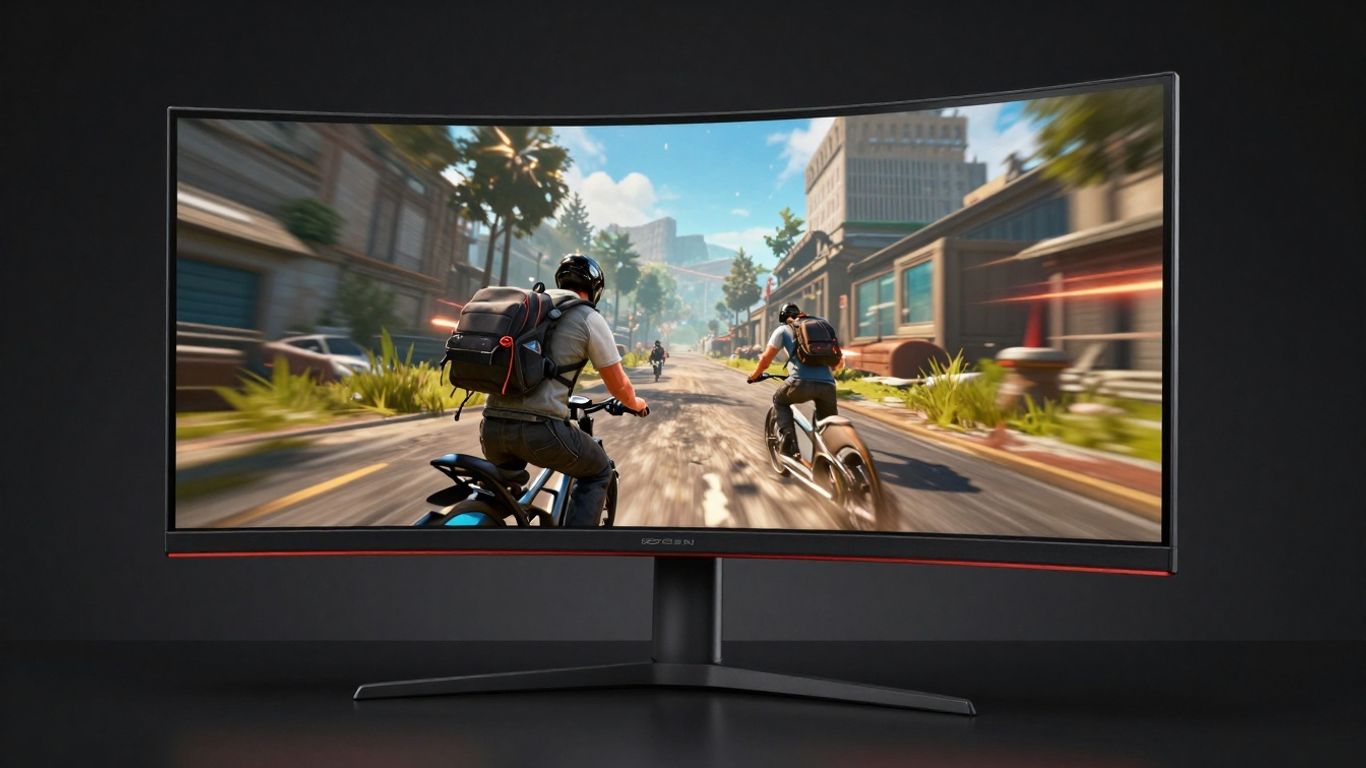
When you're looking to really get into the game, ultrawide monitors are a pretty sweet option. These screens stretch out way beyond the standard 16:9 aspect ratio, usually hitting 21:9 or even 32:9. What this means is you get a much wider field of view, which can be a game-changer, especially in titles with big, open worlds or racing games where seeing more of the track or environment is a big deal.
The extra screen real estate makes everything feel more immersive, pulling you right into the action. It's like having a panoramic view of your digital world. Plus, for folks who like to have multiple windows open while gaming – maybe a guide on one side and chat on the other – ultrawides handle that like a champ, often better than trying to juggle two separate monitors.
Here's a quick look at what makes them stand out:
- Wider Field of View: See more of the game world without needing to turn your character as much.
- Enhanced Immersion: The expanded view wraps around your peripheral vision, making games feel more engaging.
- Multitasking Power: Great for productivity too, fitting more applications side-by-side.
- Curved Options: Many ultrawides come with a curve, which can help reduce distortion and make the edges feel closer to you.
It's not just about games, though. If you're doing video editing, coding, or just managing a lot of spreadsheets, an ultrawide can seriously speed things up. You can see more of your timeline or more rows and columns without all that annoying scrolling.
While they offer a fantastic experience, ultrawide monitors do take up more desk space and might require a more powerful graphics card to push all those extra pixels at a smooth frame rate. It's a trade-off, but for many, the visual payoff is totally worth it.
6. 4K Gaming Monitors
Alright, let's talk about 4K gaming monitors. If you're aiming for the absolute sharpest visuals on your screen, this is where you want to be. We're talking about a resolution of 3840 x 2160 pixels, which is four times the detail you get with a standard 1080p monitor. This means incredibly crisp images, whether you're exploring vast open worlds or just admiring the textures in your favorite game.
For 2026, 4K gaming monitors are really hitting their stride, offering a fantastic balance of resolution and refresh rate. While they used to be a bit sluggish for fast-paced gaming, manufacturers have made huge strides. You can now find 4K monitors with refresh rates of 120Hz and even higher, which makes a noticeable difference in smoothness. Plus, with modern graphics cards getting more powerful, pushing those 4K resolutions in demanding games is becoming more feasible.
Here's a quick rundown of what to consider:
- Resolution: 3840 x 2160 (UHD) is the standard for 4K.
- Refresh Rate: Aim for 120Hz or higher for a fluid gaming experience. 60Hz is the minimum, but you'll see a big jump with more.
- Response Time: Look for 1ms or 4ms GtG (Gray-to-Gray) to minimize motion blur.
- Panel Type: IPS panels generally offer great color accuracy and viewing angles, while VA panels can provide deeper blacks. OLED is also an option for incredible contrast.
- HDR Support: High Dynamic Range can make colors pop and add more depth to the image, but make sure it's implemented well (look for DisplayHDR certifications).
When you're looking at these monitors, remember that driving a 4K resolution requires a pretty beefy PC. Make sure your graphics card can actually handle pushing those pixels at a frame rate you're happy with. It's no good having a super-sharp screen if your game is chugging along at 30 frames per second.
Choosing a 4K monitor means you're investing in visual fidelity. It's about seeing every blade of grass, every distant mountain, and every subtle detail in character models. While it demands more from your system, the payoff in terms of immersion and graphical realism is pretty significant for many gamers.
7. 1440p Gaming Monitors
When you're looking to step up your gaming visuals without going all the way to 4K, 1440p, also known as QHD (Quad High Definition), hits a really sweet spot. It offers a resolution of 2560 x 1440 pixels, which is a significant jump in clarity and detail compared to standard 1080p. This resolution provides a noticeable improvement in sharpness, making textures pop and distant objects clearer, which can actually give you a slight edge in games where spotting details matters.
Many gamers find 1440p to be the ideal balance between visual fidelity and performance demands. While 4K looks amazing, it requires a pretty beefy graphics card to run smoothly at high frame rates. 1440p, on the other hand, is much more achievable for a wider range of gaming PCs, especially when paired with a monitor that has a high refresh rate.
Here's a quick look at why 1440p is so popular:
- Sharper Images: More pixels mean a crisper, more detailed picture. You'll see finer details in character models, environments, and UI elements.
- Better Performance: It's less demanding on your GPU than 4K, allowing for higher frame rates, which is super important for fast-paced games.
- Great for Mid-Size Screens: 1440p resolution looks fantastic on monitors typically sized between 27 and 32 inches, which are popular choices for gaming setups.
Choosing a 1440p monitor means you're getting a great visual upgrade without necessarily needing to overhaul your entire PC. It's a smart choice for gamers who want better graphics and smoother gameplay, especially if their current system isn't quite ready for the full 4K experience.
When you're shopping for a 1440p monitor, don't forget to check its refresh rate and response time. A high refresh rate (like 144Hz or more) combined with a low response time (1ms is ideal) will make your games look and feel incredibly smooth, reducing motion blur and ghosting. Adaptive sync technologies like G-Sync and FreeSync are also big pluses for preventing screen tearing.
8. 1080p Gaming Monitors
When you're looking for a gaming monitor, 1080p resolution, also known as Full HD or 1920x1080 pixels, is often the go-to choice, especially for gamers on a budget or those with mid-range PCs. It's a solid option that still provides a good visual experience without demanding too much from your graphics card. This means you can often achieve higher frame rates, which is super important for fast-paced games.
1080p monitors are great for competitive gaming where every millisecond counts. They strike a good balance between visual clarity and performance, making them a popular pick for esports titles and online multiplayer games.
Here's a quick look at what makes 1080p a good choice:
- Performance Boost: Because the pixel count is lower than 1440p or 4K, your graphics card doesn't have to work as hard. This often translates to higher and more stable frame rates, leading to smoother gameplay.
- Cost-Effective: Generally, 1080p monitors are more affordable than their higher-resolution counterparts. This makes them an accessible entry point into dedicated gaming setups.
- Wide Availability: You'll find a huge variety of 1080p gaming monitors on the market, from smaller 24-inch screens perfect for tight desk spaces to larger 27-inch options.
- Compatibility: Most gaming hardware is designed to work well with 1080p, so you won't run into many compatibility issues.
While 1080p might not offer the same pixel-perfect sharpness as higher resolutions, its focus on speed and responsiveness makes it a champion for many gamers. It's all about finding what works best for your setup and the games you play.
For many gamers, especially those focused on competitive play or who have a PC that isn't top-of-the-line, 1080p resolution hits the sweet spot. It lets you push higher refresh rates and faster response times without breaking the bank or your system's performance. It's a practical choice that prioritizes smooth action over ultra-fine detail.
9. 24-Inch Gaming Monitors
When you're looking for a gaming monitor, size is definitely a factor to consider. For a long time, 24-inch monitors were the go-to for many gamers, especially those focused on competitive play. They hit a sweet spot for a lot of people, offering a good balance between screen real estate and how much desk space they take up. Plus, they're often more budget-friendly than their larger counterparts.
These monitors are great for a few reasons:
- Desk Space: They don't hog your entire desk, which is a big plus if you have a smaller setup or just like to keep things tidy.
- Performance: You can often find 24-inch monitors with really high refresh rates, like 144Hz or even 240Hz, which is fantastic for fast-paced games. This means smoother motion and less blur, giving you an edge.
- Cost-Effectiveness: Generally, you get more bang for your buck with a 24-inch screen. You can often snag a high-performance model without breaking the bank.
The 1080p resolution is still very common and perfectly adequate for this screen size, providing sharp visuals without demanding a super powerful graphics card. This makes them a solid choice for a lot of setups, especially if you're not aiming for the absolute highest resolutions. You can find some really solid options that offer great response times and adaptive sync technologies, which are key for a smooth gaming experience. If you're building a budget-friendly gaming rig or just prefer a more compact display, a 24-inch monitor is still a really strong contender in 2026. You can find some excellent OLED gaming monitor recommendations that come in this size, offering incredible contrast and color.
While larger monitors might seem more impressive, the 24-inch size remains a practical and performance-oriented choice for many gamers. It's all about finding what works best for your space and your playstyle.
10. 27-Inch Gaming Monitors
When you're looking for a sweet spot between screen real estate and desk space, the 27-inch gaming monitor often hits the mark. It's a popular size for a reason, offering a good amount of visual real estate without completely taking over your setup. For many gamers, 27 inches strikes the perfect balance between immersion and practicality.
These monitors are frequently found with 1440p (QHD) resolution, which is a step up from 1080p and really makes games pop. You get sharper images and more detail, especially noticeable in games with intricate environments or text. While 1080p is still fine on a 27-inch screen, you might start to see the pixels if you look closely. On the flip side, 4K on a 27-inch monitor can be a bit much for your graphics card to push at high frame rates, and the benefits of the extra pixels are less obvious at typical viewing distances compared to larger screens.
Here's a quick look at what you generally get with a 27-inch gaming monitor:
- Resolution: Most commonly 2560 x 1440 (QHD), but 1920 x 1080 (FHD) and 3840 x 2160 (4K) are also available.
- Refresh Rate: High refresh rates are standard, with 144Hz being common, and 165Hz or even 240Hz options available for smoother motion.
- Response Time: Look for 1ms (GtG or MPRT) for minimal ghosting and blur during fast-paced action.
- Panel Type: IPS panels are popular for their good color accuracy and wide viewing angles, while VA panels offer better contrast. TN panels are the fastest but have weaker colors and viewing angles.
A 27-inch monitor is a solid all-around choice. It's big enough to feel immersive for most games, but not so large that it becomes overwhelming or requires a massive desk. Plus, the 1440p resolution is a sweet spot for performance and visual quality on this screen size, meaning you can often get high frame rates without needing a top-tier GPU.
When picking one out, think about what games you play most. If it's fast-paced shooters, prioritize refresh rate and response time. If you're into visually rich RPGs or strategy games, color accuracy and resolution might be more important. Many 27-inch monitors also come with adaptive sync technologies like G-Sync or FreeSync, which are a big help in preventing screen tearing and stuttering, making your gameplay look much cleaner.
11. 32-Inch Gaming Monitors
When you're looking for a bigger screen for your gaming setup, 32-inch monitors are a really popular choice. They offer a nice step up in size without being so massive that they take over your whole desk. This size hits a sweet spot for many gamers, balancing immersion with practicality.
These larger displays are often paired with higher resolutions like 1440p or even 4K. This means you get a lot more detail on screen, which is great for spotting enemies in fast-paced games or just enjoying the scenery in open-world titles. Plus, with a 32-inch screen, you can really get lost in the game.
Here's a quick look at what you might find:
- Resolution: Common options include 1440p (QHD) and 4K (UHD). 4K on a 32-inch monitor offers incredible sharpness.
- Refresh Rate: You'll find plenty of 144Hz and 165Hz options, with some high-end models pushing even higher for super smooth motion.
- Panel Type: VA panels are common, offering good contrast, while IPS panels provide better color accuracy and viewing angles. OLED is also appearing in this size, bringing amazing contrast and response times.
- Curvature: Many 32-inch monitors come with a slight curve (like 1000R or 1500R) to help keep the whole screen in your field of view, making it feel more immersive.
If you're after a truly top-tier experience, something like the ASUS ROG Strix OLED XG32UCWMG is a fantastic example of what a 32-inch monitor can do, especially with its OLED panel and 4K resolution.
Choosing a 32-inch monitor means you're likely looking for a more engaging visual experience. It's a size that works well for both intense gaming sessions and watching movies or other media. Just make sure your graphics card can handle the resolution and refresh rate you're aiming for, otherwise, you might not get the full benefit.
When considering a 32-inch monitor, think about how much space you have and what kind of games you play most. A larger screen can be amazing, but it needs to fit your setup and your PC's capabilities.
12. High Refresh Rate Monitors
When you're deep into a game, especially something fast-paced like a shooter or a racing sim, every millisecond counts. That's where refresh rate comes in. Think of it as how many times your monitor updates the image on screen each second. A standard monitor might do this 60 times a second (60Hz), which is fine for everyday stuff. But for gaming? You really want to aim for higher refresh rates to see a noticeable difference in smoothness.
Going up to 144Hz is a pretty big jump from 60Hz. You'll notice that motion looks way less blurry, and things just feel more responsive. Many gamers find 144Hz to be a sweet spot – it's a significant upgrade without costing an arm and a leg. If you're serious about competitive gaming, you might even look at 240Hz or even 360Hz monitors. These are for folks who need every possible advantage, where even the tiniest bit of lag can make a difference.
Here's a quick look at what different refresh rates generally offer:
- 60Hz: Okay for casual games and general use. You'll see motion blur more easily.
- 144Hz: A solid upgrade for most gamers. Much smoother motion and better responsiveness.
- 240Hz+: Top-tier for competitive players. Offers the absolute smoothest motion and lowest input lag.
It's not just about the number, though. Your computer's graphics card needs to be able to push enough frames per second (FPS) to take advantage of that high refresh rate. If your PC can only manage 70 FPS, a 240Hz monitor won't magically make it look like 240 FPS. Still, having a higher refresh rate monitor means your system can show off those higher frame rates more effectively, leading to a much better visual experience overall.
Choosing a monitor with a high refresh rate is one of the most impactful upgrades you can make for a smoother, more responsive gaming experience. It directly affects how fluidly motion appears on screen, reducing blur and making fast-paced action easier to track.
13. Low Response Time Monitors
When you're deep into a game, especially something fast-paced like a shooter or a racing sim, the last thing you want is to see ghosting or motion blur. That's where response time comes in. It's basically how quickly a monitor can change a pixel from one color to another. For gamers, lower is definitely better.
Think about it: if a pixel can't keep up with the action, you'll see trails behind moving objects. It's like watching a movie with a bad frame rate, but it's happening right in front of you. For competitive play, even a few milliseconds can make a difference. You want your monitor to react as fast as you do.
Here's a quick rundown of what those numbers usually mean:
- 1ms (Gray-to-Gray): This is the sweet spot for most gamers. It's fast enough to virtually eliminate motion blur and ghosting in almost all gaming scenarios. You'll see crisp movement, which is a big deal when you're trying to track enemies or dodge obstacles.
- 0.1ms (Gray-to-Gray): This is even faster. While the difference between 1ms and 0.1ms might be hard for some people to notice, for the most hardcore competitive players, it can offer that extra edge. It's the kind of speed you find on top-tier OLED or very high-end LCD panels.
- Less than 1ms (e.g., 0.03ms): Some newer technologies, particularly OLED, can achieve incredibly low response times. These are technically the fastest, but again, the practical difference for the average player might be minimal compared to a good 1ms panel. Still, it's nice to know the tech is there.
When you're looking at response times, make sure you're checking the 'Gray-to-Gray' (GtG) rating. This is the most common metric used for gaming monitors. Some manufacturers might advertise other response times, but GtG is the one that really matters for how smooth motion looks on screen. Don't get caught up in marketing jargon; focus on that GtG number for a clear picture of performance.
So, if you're serious about gaming and want the sharpest, most fluid visuals possible, aim for a monitor with a 1ms or lower response time. It's one of those specs that genuinely makes a noticeable difference in how you experience your games.
14. G-Sync Compatible Monitors
When you're deep into a gaming session, the last thing you want is stuttering or screen tearing messing up the flow. That's where G-Sync Compatible monitors come in. Basically, NVIDIA developed G-Sync to sync your monitor's refresh rate with your graphics card's frame rate. This stops those annoying visual glitches.
While true G-Sync monitors require a special module from NVIDIA, G-Sync Compatible monitors are a bit more flexible. They've been tested and certified by NVIDIA to work with their graphics cards, offering a similar tear-free experience without the proprietary hardware. This means you can get smooth gameplay without necessarily buying a monitor with the full G-Sync hardware.
Here's what to look for:
- Adaptive Sync Support: Ensure the monitor explicitly states G-Sync Compatibility.
- Refresh Rate: Aim for 144Hz or higher for the best experience.
- Response Time: Lower is better, typically 1ms or less, to reduce motion blur.
- Resolution: Match this to your graphics card's power (1080p, 1440p, or 4K).
It's a solid choice if you're running an NVIDIA GeForce card and want that smooth, responsive gaming feel. You can find some really impressive options out there, like the ASUS ROG Swift OLED PG27UCDM, which is a top-tier G-Sync Compatible display.
G-Sync Compatible monitors offer a great way to achieve tear-free gaming without the premium price tag of full G-Sync hardware. They work by allowing your NVIDIA GPU to control the monitor's refresh rate on the fly, matching it to the game's frame output. This synchronization is key to preventing visual artifacts that can pull you out of the game.
Keep in mind that while NVIDIA tests these monitors, performance can still vary slightly depending on your specific graphics card and the game you're playing. It's always a good idea to check reviews for the specific model you're interested in.
15. FreeSync Compatible Monitors
When you're looking for a gaming monitor, you'll see a lot of talk about adaptive sync technologies. One of the big ones is AMD's FreeSync. Basically, it's a way for your monitor and your graphics card to talk to each other so they can sync up their refresh rates. This stops that annoying screen tearing and stuttering that can really mess up your game.
FreeSync is designed to work with AMD Radeon graphics cards, but it's become pretty widely supported across different brands and even some Nvidia cards with a bit of tweaking. It's a great feature because it means your game looks smoother without you having to do much. You just need a compatible GPU and a FreeSync-certified monitor.
Here's a quick rundown of why it's good:
- Reduces Screen Tearing: No more choppy visuals when things get hectic.
- Minimizes Stuttering: Games feel more fluid and responsive.
- Lowers Input Lag: Your actions feel more immediate on screen.
- Wide Compatibility: Works with many AMD cards and even some others.
It's not just about the tech specs, though. Having a monitor that supports FreeSync means you can focus more on the game itself. You don't have to worry as much about whether your PC can keep up perfectly with the monitor's refresh rate. It's a big step up from older monitors that just refresh at a fixed rate, regardless of what your graphics card is doing. For a smooth gaming experience, especially in fast-paced titles, looking for a FreeSync compatible monitor is a smart move. It really makes a difference in how enjoyable your gaming sessions are, letting you react faster and see everything clearly.
16. OLED Gaming Monitors
OLED technology has really started making waves in the gaming monitor scene, and for good reason. These panels are known for their incredible contrast ratios and true blacks because each pixel lights itself up. This means you get colors that just pop and a level of detail in dark scenes that you just don't see on other types of displays.
When you're gaming, especially in titles with lots of shadows or vibrant effects, OLED really shines. The response times are also ridiculously fast, often hitting 0.1ms or even lower. This basically eliminates motion blur, making fast-paced action look super smooth. It's a big step up if you're coming from a standard LCD or even a good IPS panel.
Here's a quick look at what makes OLED stand out:
- Perfect Blacks: Pixels turn off completely for true black, leading to amazing contrast.
- Vibrant Colors: Colors are incredibly rich and accurate.
- Ultra-Fast Response Times: Near-instant pixel response reduces motion blur significantly.
- Wide Viewing Angles: Colors and brightness stay consistent even when viewed from the side.
Of course, there are a couple of things to keep in mind. OLED panels can be more expensive than their LED counterparts. Also, there's the potential for burn-in if static images are displayed for very long periods, though manufacturers have gotten much better at mitigating this risk with built-in protection features. Still, it's something to be aware of, especially if you plan on using the monitor for a lot of non-gaming tasks with static elements.
For gamers who prioritize visual fidelity and the absolute best in contrast and color, OLED gaming monitors are becoming a top-tier choice. The immersive experience they provide, especially in games designed to take advantage of deep blacks and bright highlights, is hard to beat. While the price point and the slight concern over burn-in are factors, the visual payoff is substantial for many players.
17. Portable Gaming Monitors
Sometimes, you just can't stay put. Whether you're traveling for work, visiting family, or just want to game on the patio, a portable gaming monitor can be a real game-changer. These aren't your average flimsy laptop screens; we're talking about actual monitors that are designed to be moved around. They're usually pretty lightweight and often come with built-in stands or ways to prop them up easily.
What makes a portable monitor good for gaming? Well, it's a bit of a balancing act. You want decent refresh rates and response times so your games don't look like a blurry mess, but you also need it to be light enough to carry. Most portable gaming monitors aim for around 60Hz to 144Hz, which is a big step up from a standard laptop screen. Response times can vary, but finding something under 5ms is usually a good target.
Here's a quick look at what to expect:
- Screen Size: Typically range from 13 inches up to around 17 inches. Small enough to pack, big enough to see what's going on.
- Resolution: You'll mostly find 1080p (Full HD) resolutions, which is perfectly fine for most portable gaming needs. Some higher-end models might offer 1440p.
- Connectivity: Most use USB-C for both power and display signal, which is super convenient if your laptop or device supports it. Some might also have mini-HDMI ports.
- Power: Many can be powered directly from your laptop via USB-C, but some might need their own power adapter, especially if they have higher refresh rates.
The biggest advantage is flexibility. You can set up a proper gaming station almost anywhere. Think LAN parties at a friend's house or even just extending your workspace when you're away from home.
While they're not going to replace your massive, high-end desktop monitor, portable gaming monitors fill a specific niche really well. They offer a significant upgrade over built-in laptop displays without sacrificing portability. It's all about getting that gaming experience wherever you happen to be.
18. Dual Screen Monitors
Setting up two monitors for gaming might sound like a good idea, right? One for the game, one for your chat or a walkthrough. It can work, but honestly, it often ends up feeling a bit cluttered. You've got cables everywhere, and aligning two separate screens perfectly can be a pain. Plus, if you're playing something that needs your full attention, having a second screen can actually be more of a distraction than a help.
Here's a quick look at how you might set them up:
- Check your graphics card: Make sure it can handle more than one display. Most modern ones can, but it's good to double-check.
- Connect them: Use HDMI or DisplayPort cables. You'll need one for each monitor.
- Configure in your OS: Go into your computer's display settings. You can choose to 'extend' your desktop across both screens or 'duplicate' what's on one screen onto the other.
While dual monitors offer some multitasking benefits, they aren't always the best solution for gaming. Sometimes, a single, larger, or ultrawide monitor can give you a more focused and immersive experience without all the extra setup hassle.
The idea of having two screens for gaming is appealing for multitasking, like keeping a guide or chat open. However, the reality often involves managing extra cables, potential alignment issues, and a less unified visual experience compared to a single, well-chosen display. For many gamers, the simplicity and immersion of an ultrawide or a large single monitor often win out.
19. Smart Monitors
Smart monitors are a bit of a newer thing in the gaming world, and honestly, they're pretty interesting. Think of them like a TV and a computer monitor had a baby. They have built-in apps and streaming services, so you can watch Netflix or YouTube directly on the screen without needing a separate device. This is great for when you want to kick back and watch something after a long gaming session, or even for some casual browsing.
LG, for example, has some smart monitors that run on webOS, the same system you find on their TVs. This means you get access to a bunch of popular apps right out of the box. It’s a neat way to consolidate your entertainment setup.
Here’s a quick look at what they offer:
- Built-in Apps: Access streaming services like Netflix, Hulu, and YouTube directly.
- Wireless Connectivity: Often include Wi-Fi and Bluetooth for easy connection to other devices and networks.
- Smart Hub: A central place to manage apps, settings, and connected devices.
- Remote Control: Usually come with a remote for easy navigation of the smart features.
While they're not always the top pick for hardcore competitive gamers who need the absolute lowest latency and highest refresh rates, smart monitors are fantastic for a more relaxed setup. They bridge the gap between pure gaming performance and everyday entertainment needs, making them a versatile choice for many households. If you're looking for a display that can do a bit of everything, a smart monitor is definitely worth considering.
For those who want a high-quality display that also offers smart features, you might want to check out options that combine excellent gaming specs with smart capabilities. Some models, like certain LG smart monitors, are designed to handle both demanding games and your favorite shows with ease.
20. VR Headsets
VR headsets have really come into their own for gaming, and 2026 is no exception. They offer a level of immersion that just isn't possible with traditional screens. When you put on a VR headset, you're not just looking at a game; you're in it. The feeling of presence is incredible, especially for games that benefit from a sense of scale and depth, like flight simulators or exploration titles.
The best VR headsets today provide sharp visuals and a wide field of view, making virtual worlds feel more real than ever.
When picking a VR headset, consider a few things:
- Resolution and Display: Higher resolution means sharper images and less of that 'screen door effect' where you can see the pixels. Look for displays with good refresh rates too, usually 90Hz or higher, to keep motion smooth.
- Field of View (FOV): A wider FOV makes the virtual world feel more expansive and less like you're looking through binoculars.
- Tracking: Inside-out tracking (where cameras on the headset track your movement) is common and convenient, but external base stations can offer more precise tracking for larger play spaces.
- Comfort and Ergonomics: You'll be wearing this on your head, so weight distribution, padding, and adjustability are super important, especially for longer gaming sessions.
For standalone gaming without a PC, the Meta Quest 3 is a solid choice, offering a good balance of features and price. If you're looking for top-tier PC VR experiences, headsets like the HTC Vive Pro 2 are worth checking out for their advanced capabilities. Integrating VR into your gaming setup can completely change how you experience digital worlds, offering a truly unique perspective.
VR technology continues to advance rapidly, with manufacturers focusing on lighter designs, higher fidelity displays, and more intuitive controls. The goal is to make the virtual experience as natural and comfortable as possible, blurring the lines between the digital and physical.
21. Triple Monitor Setups
Alright, let's talk about going big with your gaming setup: the triple monitor configuration. This isn't just about having more screens; it's about creating a panoramic view that pulls you right into the game. Think racing sims where you can see the track stretching out on either side, or flight simulators that give you a full cockpit feel. It really changes how you experience certain games.
Setting one up isn't exactly plug-and-play, though. You'll need to make sure your graphics card can handle the load – three screens mean a lot more pixels for it to push. Plus, you've got to think about how you'll connect them all. Most modern cards have enough ports, but it's worth checking.
Here's a quick rundown of what to consider:
- Monitor Choice: Ideally, you want three identical monitors. This means the resolution, refresh rate, and color calibration will match, giving you a smooth, consistent image across all three. Mismatched monitors can be jarring.
- Mounting: Forget just shoving them on your desk. A triple monitor stand or mount is pretty much a must. It keeps them aligned, saves desk space, and often allows for better positioning.
- Software Setup: Once physically connected, you'll need to tell your computer how to use them. You can usually set them to 'extend' your desktop, creating one massive display. Some games support this natively, while others might need a bit of tweaking.
The biggest hurdle is often the sheer desk real estate and the processing power required, but when it works, it's pretty awesome.
It's a setup that really shines for simulation games, strategy titles where you need to see a lot of the map at once, or even just for productivity if you like having multiple windows open. Just be prepared for a bit of a project to get it all dialed in perfectly.
22. Gaming Monitor Stands
Alright, let's talk about monitor stands. You might think, 'It's just a stand, how important can it be?' But honestly, the right stand can make a big difference in how comfortable you are while gaming, and how your whole setup looks. Most monitors come with a basic stand, and for some people, that's totally fine. It gets the job done, holding the screen up so you can see it. But if you're spending hours in front of your screen, especially for intense gaming sessions, you'll want something that offers more flexibility.
A good monitor stand is key for ergonomics and a clean setup.
Think about adjustability. Can you tilt it? Swivel it? Raise or lower it? Some stands let you pivot the screen to a vertical position, which is handy for scrolling through long documents or code, though maybe less so for most games. The goal is to get the screen at the perfect height and angle so you're not straining your neck or back. It's like finding the right chair – it just makes everything better.
Here are a few things to consider when looking for a stand:
- Height Adjustment: This is probably the most important feature. Being able to easily move the monitor up and down lets you position it at eye level, which is way better for your posture.
- Tilt and Swivel: Being able to angle the screen forward or backward (tilt) and turn it left or right (swivel) helps reduce glare and lets you adjust the viewing angle, especially if you have multiple people looking at the screen or if the light in your room changes.
- Rotation (Pivot): Some stands allow you to rotate the monitor 90 degrees into a portrait orientation. While not essential for gaming, it can be useful for productivity tasks.
- Build Quality and Stability: You don't want a stand that wobbles every time you move your mouse. Look for sturdy materials like metal that can support the weight of your monitor securely.
- Cable Management: Many aftermarket stands come with built-in clips or channels to help keep your cables tidy. This can really clean up your desk space and make it look much more professional.
Sometimes, the stand that comes with your monitor just doesn't cut it. Maybe it doesn't go high enough, or it's just too bulky. That's where VESA mount compatible stands come in. Most monitors have standard mounting holes on the back (that's the VESA pattern), so you can ditch the original stand and attach a new one. You can get single monitor arms, dual monitor arms, or even stands that hold three or more screens. These arms often offer a lot more freedom in positioning your display exactly where you want it, and they can free up a lot of desk space by clamping to the edge or mounting through a grommet hole.
Getting the monitor positioned just right is more than just comfort; it's about preventing long-term strain. A wobbly stand or a screen that's too low or too high can lead to headaches and neck pain, which is the last thing you want when you're trying to focus on a game. Investing a little extra in a solid, adjustable stand is usually a smart move for anyone who spends a significant amount of time at their computer.
23. Gaming Monitor RGB Lighting
So, you've got your high refresh rate, your low response time, maybe even a fancy curved display. But what about making your setup look as good as it performs? That's where gaming monitor RGB lighting comes in. It's that extra bit of flair, those customizable lights that can sync with your game or just add some mood to your room.
Most gaming monitors that include RGB will have it on the back, sometimes on the stand, and occasionally even projecting a logo onto your desk. It's mostly for show, but hey, who doesn't like a bit of a light show when they're fragging opponents?
Here's a quick rundown of what to expect:
- Customization: You can usually pick from a wide spectrum of colors and effects. Think solid colors, pulsing lights, or even dynamic effects that react to what's happening on screen.
- Software Control: Most brands offer software that lets you tweak the lighting. This is where you can set up profiles for different games or applications.
- Syncing: Some higher-end monitors can sync their RGB with other components in your PC, like your motherboard or GPU, for a unified look. Others might even sync with game audio or visual cues.
- Brightness: Don't expect these lights to illuminate your room, they're generally subtle, designed to add ambiance rather than function as a primary light source.
While RGB lighting on a monitor doesn't directly impact your gaming performance in terms of frames per second or input lag, it's a big part of the overall aesthetic for many gamers. It's about creating an immersive environment that matches your personal style and the intensity of your games. If you're building a rig where every detail matters, the lighting can tie everything together.
It's not for everyone, of course. Some people find it distracting, and honestly, if your monitor is pushed right up against a wall, you might not even see it most of the time. But for those who enjoy personalizing their space and adding a bit of personality to their setup, monitor RGB is a pretty neat feature to have.
24. Gaming Monitor Presets
Gaming monitor presets are basically built-in settings that let you tweak your display without spending hours adjusting every little detail. Most modern gaming monitors come with several preset modes designed for different types of games or activities. These presets instantly adjust things like color, brightness, contrast, and sharpness depending on whether you’re playing a fast-paced shooter or a story-heavy RPG.
Here are some common gaming monitor presets you might find in 2026 models:
- FPS (First-Person Shooter): Makes darker areas easier to see, reduces motion blur, and boosts brightness.
- RTS (Real-Time Strategy): Sharpens visuals, enhances detail, especially in games with large maps or lots of menus.
- RPG or Cine Mode: Warms up the colors and balances contrast for cinematic, story-driven experiences.
- Eye Saver or Comfort Mode: Lowers blue light and brightness for longer play sessions with less strain.
- Custom/User: Lets you create and save your own unique setup if none of the built-in modes feel quite right.
| Preset Name | Key Feature | Best For |
|---|---|---|
| FPS Mode | Enhanced visibility | Shooters, esports titles |
| RTS Mode | Sharper details | Strategy, simulation games |
| RPG/Cine Mode | Movie-like color balance | Adventure, RPG, cinematic games |
| Eye Saver Mode | Reduced blue light | Long gaming/multitasking |
Sometimes, finding the right preset can save you time and really improve your gameplay—no more fiddling with brightness between matches, just a quick tap, and you’re good to go.
If you haven’t tried using presets yet, it’s worth it. You might be surprised how much they can affect your comfort and enjoyment, especially if you switch between different kinds of games during the week.
25. Gaming Monitor Cables and more
Alright, so you've picked out the perfect screen, but don't forget the bits that actually make it work! We're talking cables here, and yeah, they actually matter. You don't want to spend a fortune on a fancy 4K, 144Hz monitor only to hook it up with a cable that can't handle the bandwidth. That's like putting racing tires on a tricycle.
The right cable can make or break your visual experience.
When you're looking at cables, the main players are HDMI and DisplayPort. For most modern gaming setups, especially if you're aiming for high resolutions and refresh rates, DisplayPort is usually the way to go. It generally supports higher bandwidth, which is what you need for things like 4K at 120Hz or even higher refresh rates at 1440p. HDMI is still good, especially for consoles or if your monitor only has HDMI ports, but make sure you're getting a recent version like HDMI 2.0 or 2.1 to get the most out of your gear.
Here's a quick rundown:
- DisplayPort (DP): Often the best choice for PC gaming. Look for DP 1.4 or newer for high refresh rates and resolutions.
- HDMI: Great for consoles and general use. HDMI 2.0 is good, but HDMI 2.1 is better for the latest gaming tech.
- USB-C: Some monitors use USB-C for video, often with power delivery. Handy if you're using a laptop.
Beyond just the cable type, think about the length. Too long, and you might get signal degradation, especially with higher resolutions. Too short, and your setup might look messy. Cable management is also a thing – zip ties, Velcro straps, or even sleeves can make a big difference in keeping your desk tidy. And don't forget about things like monitor arms or stands if your monitor doesn't come with one you like, or even some cool RGB lighting strips to add a bit of flair to your setup. It's all the little extras that tie everything together.
Wrapping It Up
So, we've gone through what makes a gaming monitor tick, from refresh rates that keep things smooth to response times that cut down on blur. Picking the right one really comes down to what you play and what your setup can handle. Whether you're aiming for super-fast competitive play or just want a more immersive experience for your favorite single-player games, there's a screen out there for you. Don't forget that these monitors can be great for other stuff too, like editing photos or just getting work done. Think about what matters most to you, check out the specs, and you'll be well on your way to a better gaming setup in 2026.
Frequently Asked Questions
What exactly is a gaming monitor, and can I use it for other things?
A gaming monitor is built with special features to make games look and play better. Think super-fast motion, no blurry pictures, and smooth action. But guess what? It's not just for gaming! You can totally use it for schoolwork, editing photos, watching movies, or anything else you do on a computer. It's like a regular monitor but with superpowers for gaming.
What makes a gaming monitor the 'best' one?
The best gaming monitor usually has a high refresh rate (meaning it shows more pictures per second, making games look really smooth), a super-quick response time (so fast movements don't look like a blur), and a sharp picture (like 1440p or 4K resolution). Brands like Samsung's Odyssey line are popular because they pack in these features, giving you clear and fast visuals for an awesome gaming time.
What should I look for when buying a gaming monitor?
When you're shopping for a gaming monitor, pay attention to its refresh rate (aim for 144Hz or higher for smooth gameplay), response time (under 1ms is great to avoid ghosting), and resolution (like 1080p, 1440p, or 4K, depending on your computer's power). Also, look for things like G-Sync or FreeSync, which help prevent screen tearing and make everything look smoother.
Is a curved gaming monitor better than a flat one?
Curved monitors wrap around your view, making games feel more immersive, especially games with big worlds or racing sims. They can feel more natural to look at. Flat monitors are simpler, fit anywhere easily, and are good for games where you might play with friends on the same screen or just prefer a straightforward setup. It really comes down to what feels best for you and the games you play.
What's the best screen size for a gaming monitor?
For most gamers, a monitor between 24 and 32 inches is a sweet spot. A 27-inch screen is super popular because it's a good size for both gaming and regular use, especially with a 1440p resolution. If you want a really big, movie-like experience or need to see more of the game world at once, bigger screens or ultrawide monitors might be for you.
What does 'refresh rate' mean for gaming monitors?
Refresh rate, measured in Hertz (Hz), tells you how many times the monitor updates the picture on the screen every second. A higher refresh rate, like 144Hz or more, means the game will look much smoother and more fluid, especially in fast-action games. It helps reduce motion blur and makes fast movements look clearer, giving you a better gaming experience.